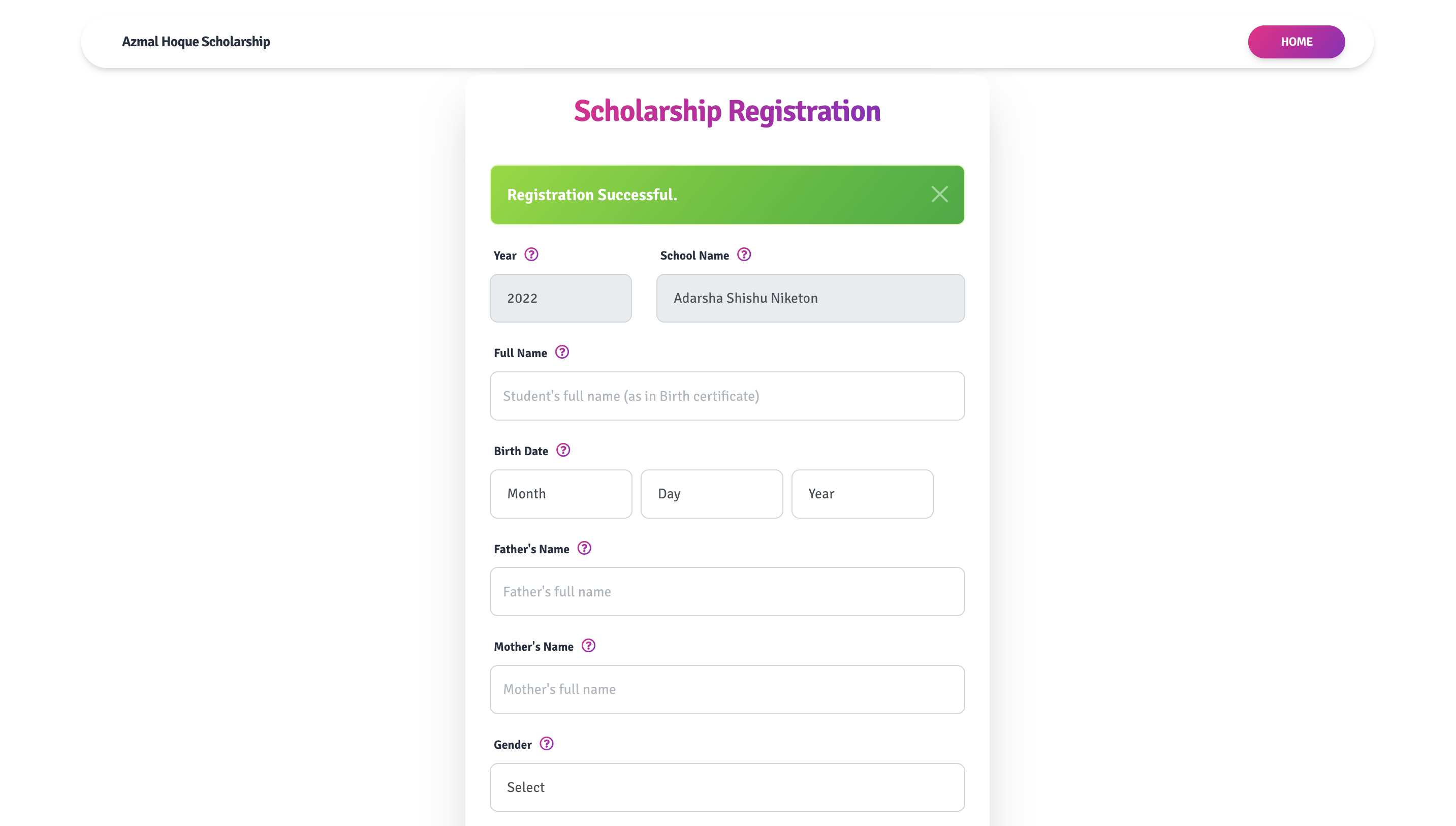
Step 01
When the registration period is open, the 'REGISTER NOW' button at the upper right corner of the web page will be active. This button lead you to the student registration page.

Step 02
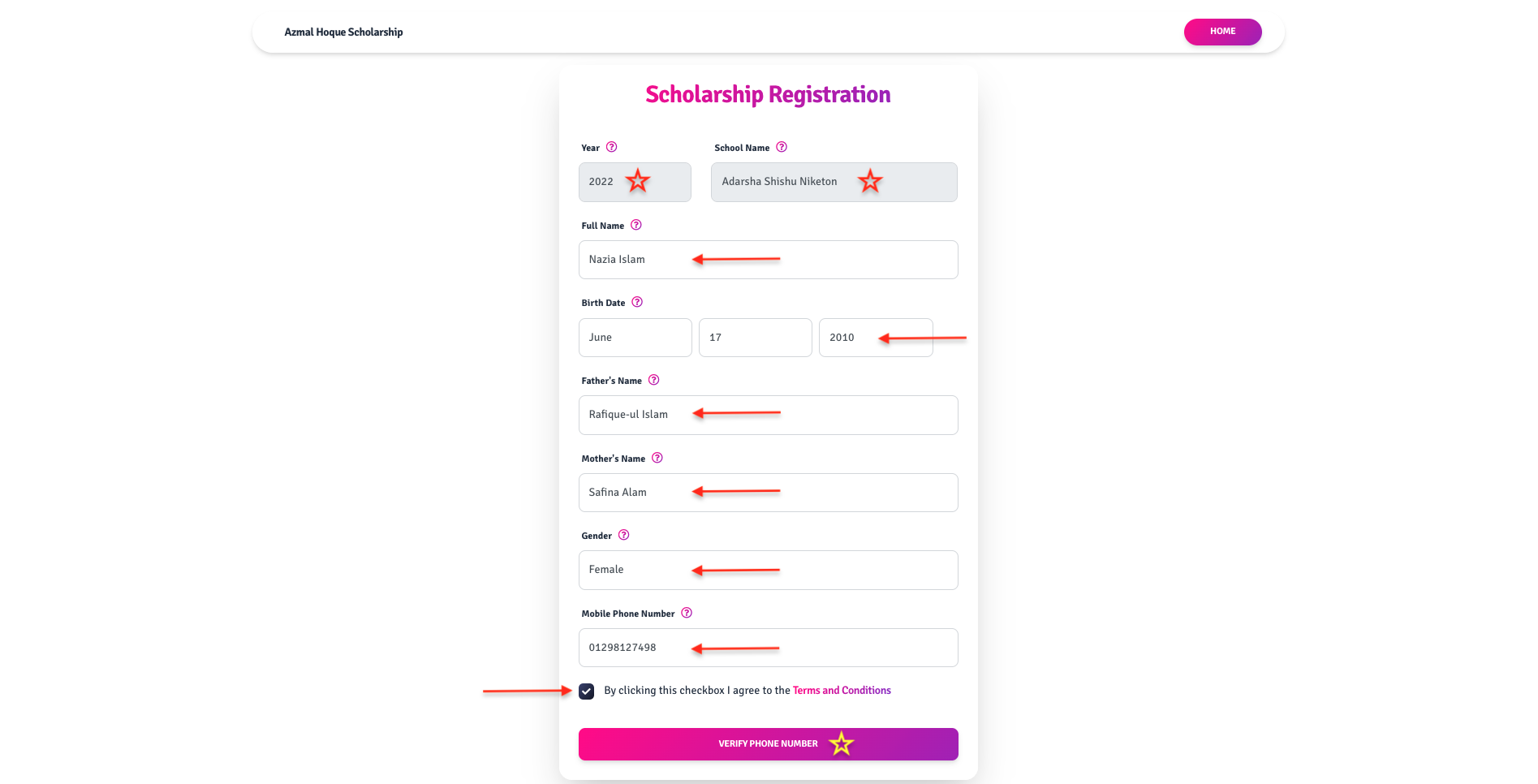
Fill up the registration form (IN ENGLISH) with valid information. Provide verifiable information only. Select and agree to 'Terms and Conditions'. Click on 'VERIFY PHONE NUMBER' and this should send an OTP SMS to your provided mobile number.
Step 02/a
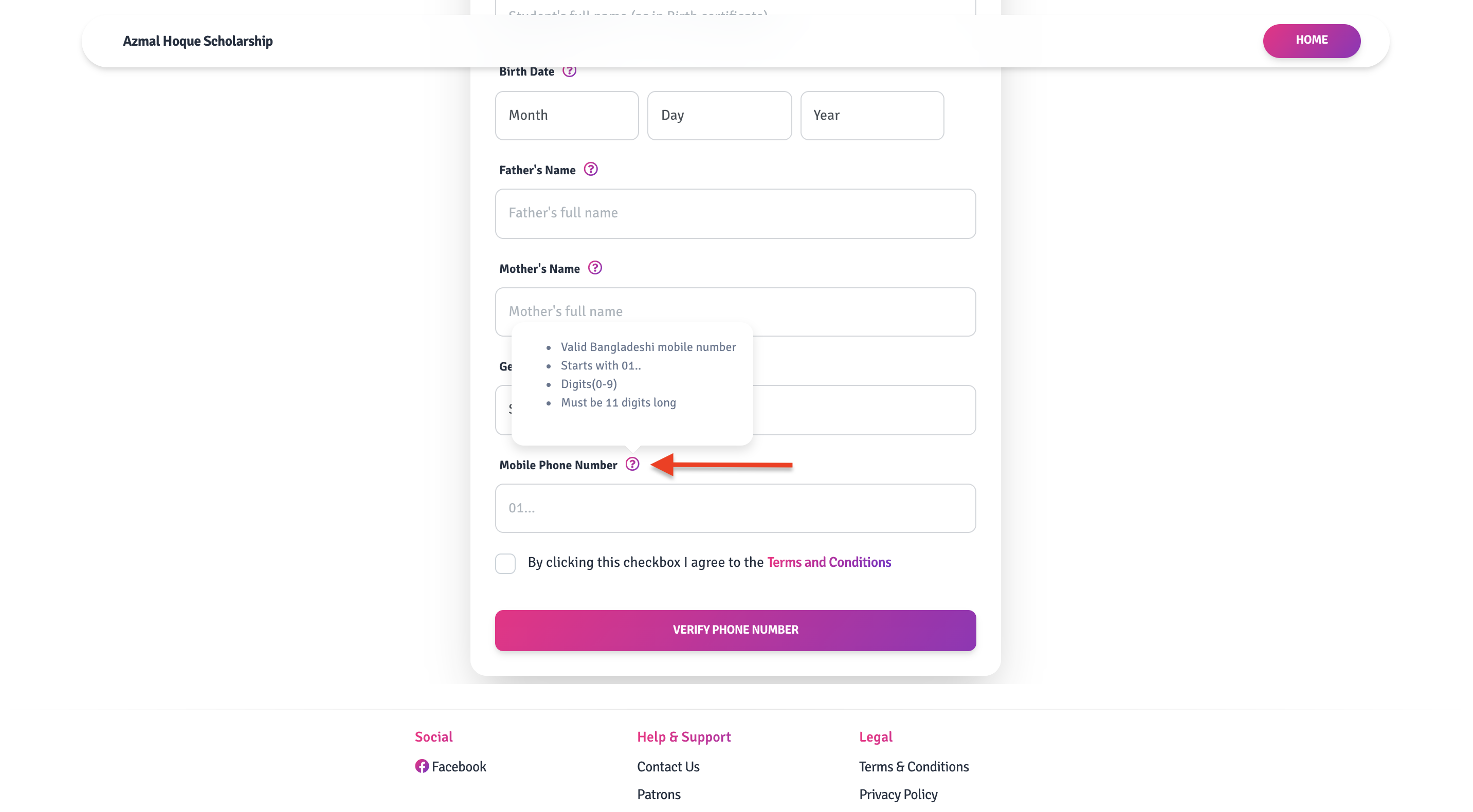
If you are not sure about any form field or the expected input for a form field, please click the '?' mark and it will show you the help text for that input field.
Step 03
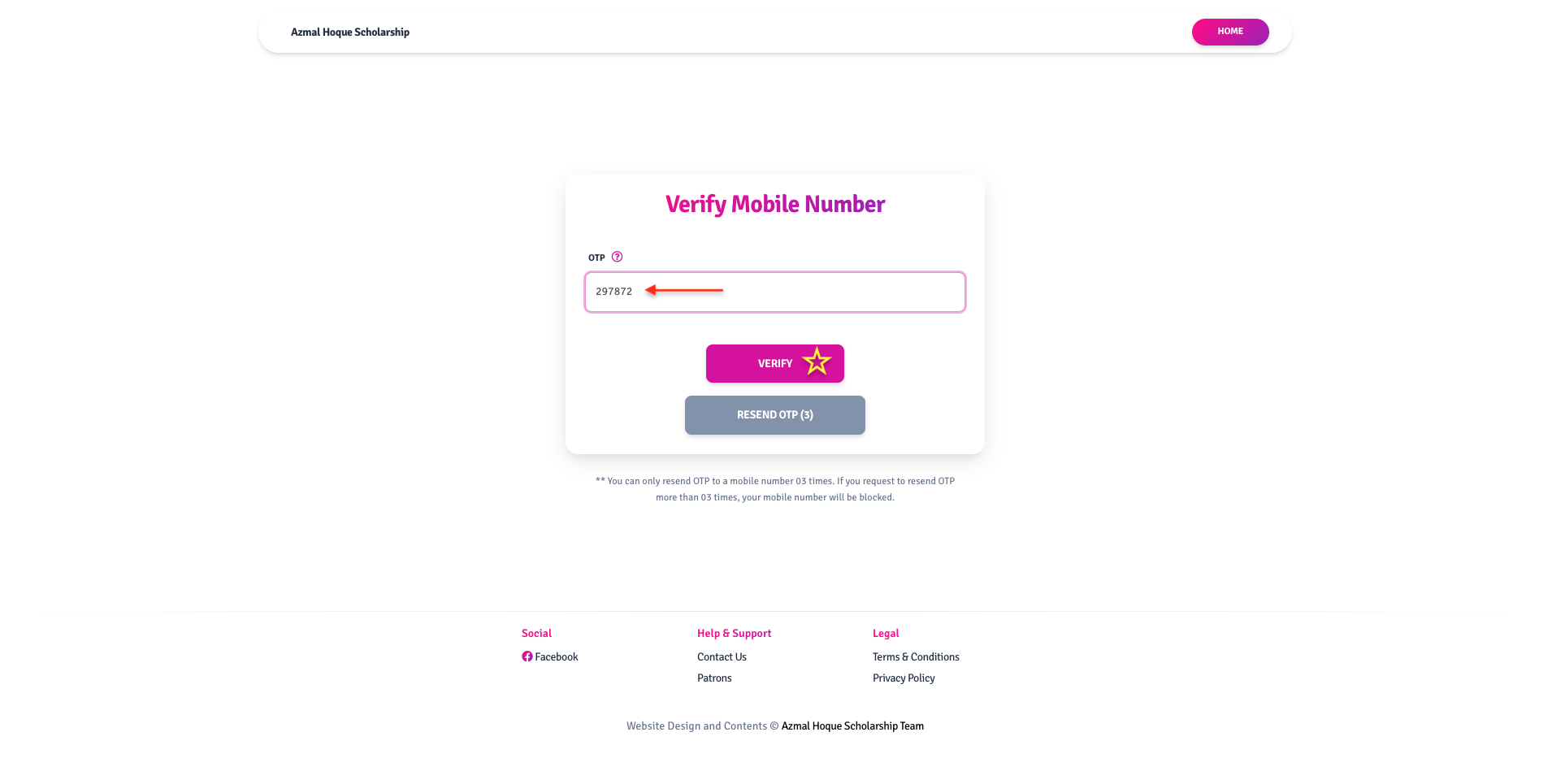
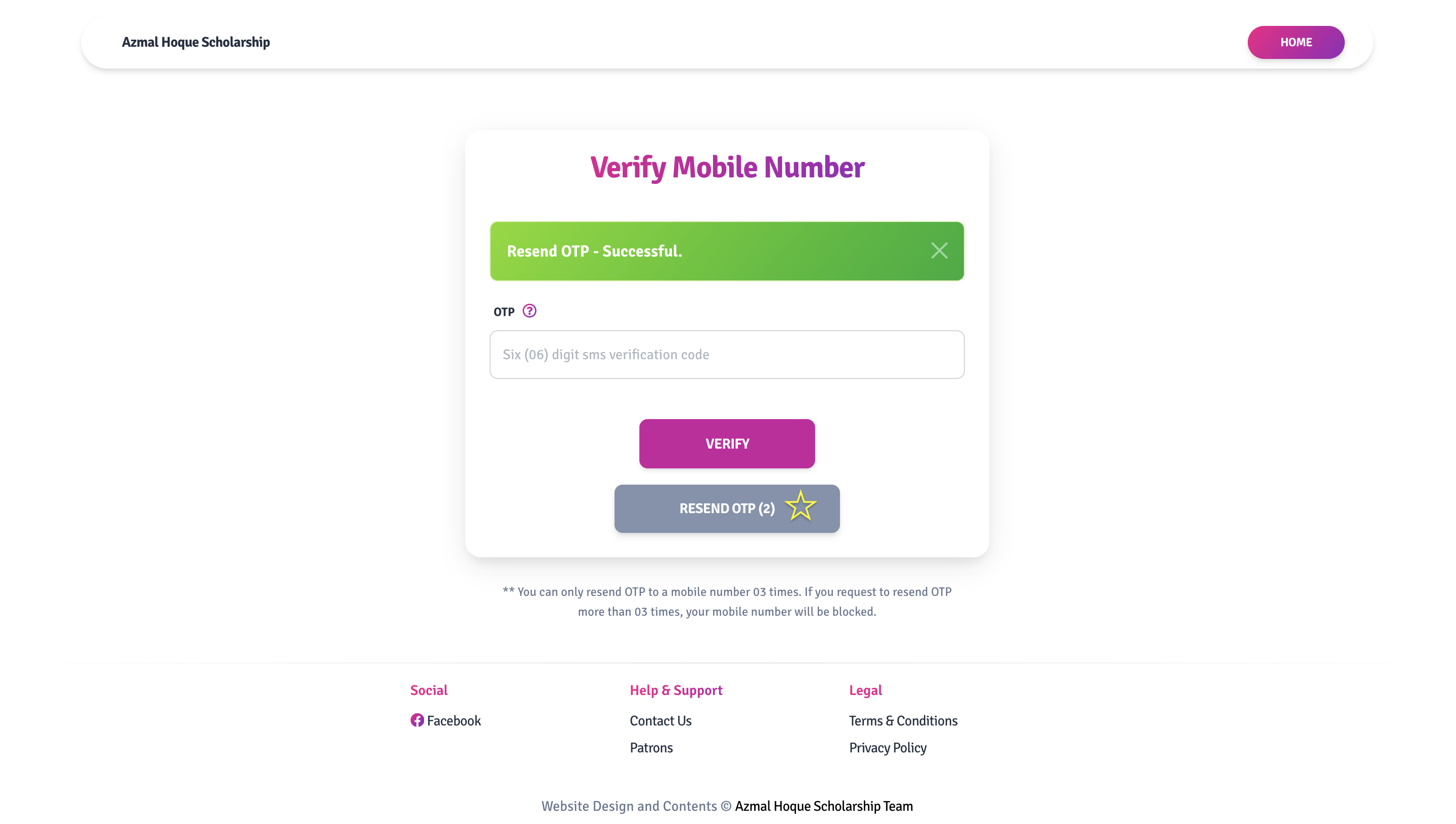
Check your mobile for SMS, input the six-digit OTP (One Time Password) code on the 'Verify Mobile Number' page and click 'VERIFY'.
Step 03/a
If OTP verification fails the first time or you did not receive an SMS within two (02) minutes, you can re-send another OTP by clicking 'RESEND OTP'. You can only re-send three (03) OTP SMS to one mobile number. Once you have received a new OTP, please repeat step 03.
Step 04
Once all provided data is verified, your registration shall be complete.